
CRM pipeline stages for high-ticket sales: a simple map
Most pipelines fail because no one agrees what each stage means. Here is a simple stage map for high-ticket sales, with clear rules for moving a lead forward.
Spencer Digital · November 2, 2026 · 8 min read

CRM pipeline stages for high-ticket sales are the named steps a lead moves through between first contact and a signed deal. When they are defined well, everyone on the team can look at a record and know what has happened, who owns it and what should happen next. When they are vague, leads sit in the wrong column, follow-up slips and the reports stop meaning anything.
High-ticket offers make this matter more. The sale usually takes more than one conversation, a buyer may need time or a second decision maker, and each lead is worth enough that losing one to a missed follow-up is expensive. This guide gives you a simple stage map you can adapt, the rules that make it work and the mistakes to avoid.
Why stage definitions matter more than the CRM you pick
Teams often switch CRM platforms hoping a new tool will fix a messy pipeline. It rarely does. The real problem is usually that nobody wrote down what each stage means, so one person moves a lead to “Qualified” after a friendly email while another waits until a budget conversation has happened.
A good stage has three parts:
- An entry rule: the specific thing that must be true for a lead to enter the stage, such as “a call is booked on the calendar”.
- An owner: the person or role responsible for moving it forward.
- An exit rule and a time limit: what moves it to the next stage, and how long it can sit before someone acts.
If a stage cannot be described this way, it is probably a status or a tag, not a pipeline stage.
A simple stage map for high-ticket sales
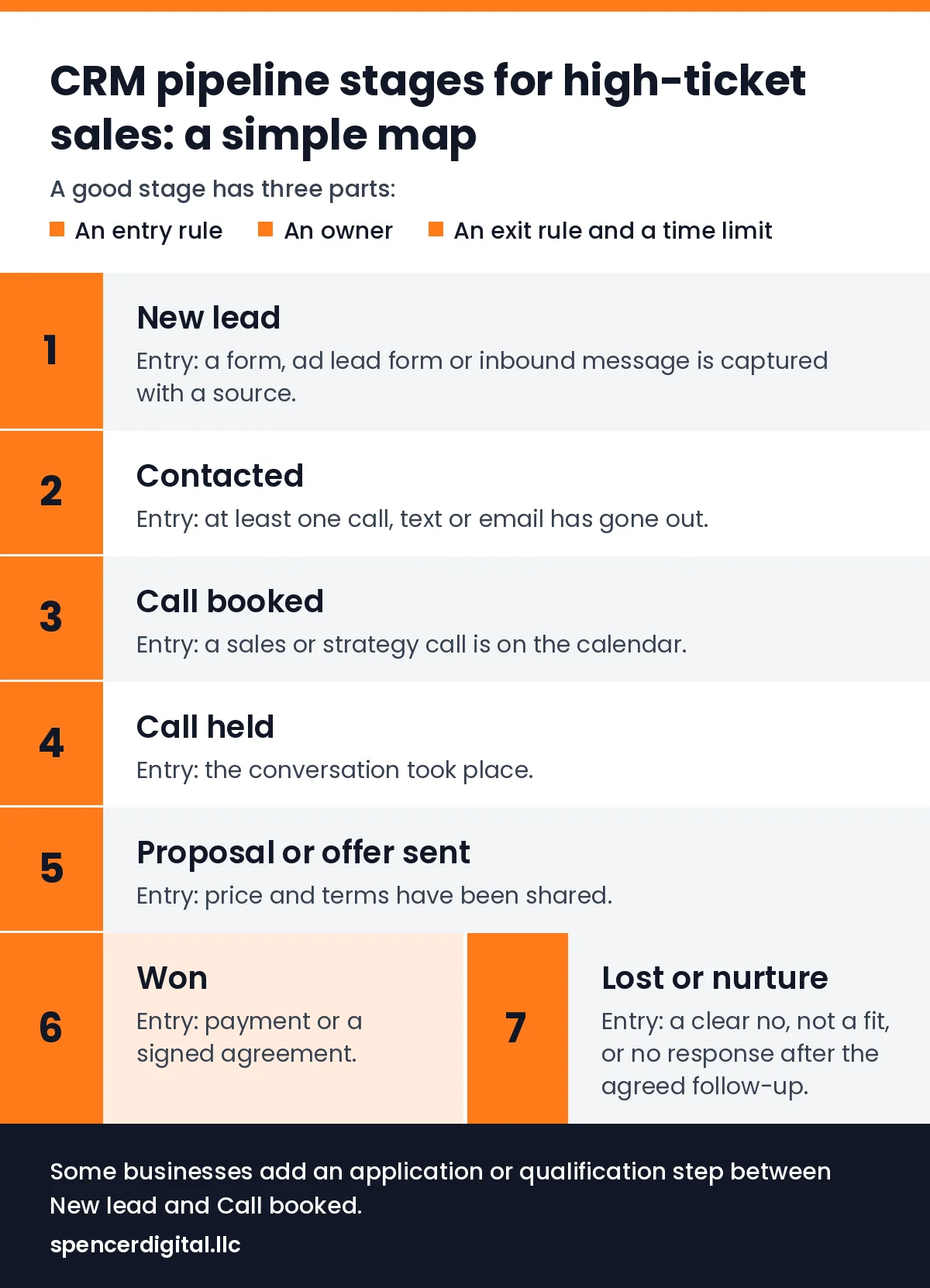
Here is a starting map that fits most coaching, consulting, info-product and service businesses that sell through a call. Rename the stages to match your language, but keep the logic.
- New lead. Entry: a form, ad lead form or inbound message is captured with a source. Owner: whoever handles first response. Exit: first contact attempted.
- Contacted. Entry: at least one call, text or email has gone out. Exit: the lead replies, or the follow-up sequence ends without a reply.
- Call booked. Entry: a sales or strategy call is on the calendar. Exit: the call happens, or the lead does not show.
- Call held. Entry: the conversation took place. Exit: an offer is made, or the lead is marked as not a fit.
- Proposal or offer sent. Entry: price and terms have been shared. Exit: a yes, a no or a clear next date.
- Won. Entry: payment or a signed agreement. This is the hand-off to onboarding or delivery.
- Lost or nurture. Entry: a clear no, not a fit, or no response after the agreed follow-up. Record the reason.
Some businesses add an application or qualification step between New lead and Call booked. That is useful when you only want to speak with people who fit, as long as the step has its own entry rule and does not slow down the people who clearly do fit.
How one lead moves through the map
Picture a simple, made-up example. Someone fills in a form from an ad on a Tuesday evening. The record is created as a New lead with the campaign attached, and the owner sends a text and an email that night, so it moves to Contacted. The lead replies the next morning and books a call for Thursday, which moves it to Call booked and triggers a confirmation and two reminders.
The call happens, so the record moves to Call held. The buyer wants to talk it over with a business partner, so the owner sends the offer, moves the record to Proposal or offer sent and sets a follow-up date for Monday before ending the call. On Monday it becomes Won, or it moves to Lost or nurture with a reason. At every point, anyone on the team can see where it stands and what happens next.
Entry and exit rules that keep the pipeline honest
The rules are what turn a list of columns into a system. A few that work well for high-ticket sales:
- Move on facts, not feelings. A lead moves to Call booked when the call is on the calendar, not when they sounded interested.
- One owner per record. Shared ownership usually means no ownership.
- Set a time limit for every open stage. For example, a New lead should be contacted the same day, and an offer should have a follow-up date before the call ends.
- No-shows are a stage outcome, not a dead end. Decide in advance how many rebooking attempts happen before a lead moves to nurture.
- Always record a lost reason. “Price”, “timing”, “not a fit” and “no response” tell you very different things about your marketing and your offer.
Connect the pipeline to your ads
A pipeline is also your best source of truth about which ads are working. If every lead keeps its original source and campaign, you can see which ads produce booked calls and sales, not just cheap leads. That changes decisions: an ad with a higher cost per lead can be the better ad if more of its leads book and buy.
To make that possible, capture UTM parameters or the ad lead form source on every new record, and keep them when the lead moves stages. When your CRM stages are clean, you can also send key stages, such as a booked call or a sale, back to the ad platforms so they optimize for the people who actually become customers. Our sister site explains how the Meta pixel, Conversions API and Google tag fit together in plain English.
Metrics to watch at each stage
You do not need a complicated dashboard. Watch the conversion from one stage to the next and the time spent in each:
- New lead to Contacted: how quickly and how consistently every lead gets a first touch.
- Contacted to Call booked: whether your follow-up and booking step are doing their job.
- Call booked to Call held: your show rate, which reminders and confirmation messages affect.
- Call held to Won: how well the offer and the conversation match what the buyer needs.
- Days in stage: where deals stall, and which owner or step needs help.
Use your own numbers as the baseline and look for the biggest drop between two stages. That is usually the cheapest place to improve revenue, and often cheaper than buying more traffic.
Common pipeline mistakes
- Too many stages, so people skip them or guess which one applies.
- Stages named after internal tasks rather than what the buyer has done.
- Leads with no source, so ad performance can only be judged on cost per lead.
- No time limits, so old leads clutter the board and hide the live ones.
- Deleting lost leads instead of moving them to nurture with a reason.
A quick setup checklist
- Write the stage list with an entry rule, owner and exit rule for each.
- Add required fields: source, campaign, owner and lost reason.
- Set time limits and automatic reminders for every open stage.
- Build booking confirmations and reminders to protect the show rate.
- Review stage-to-stage conversion every week with the people who own each step.
Where Spencer Digital fits
Our team builds the paid media and the systems behind it, because ads only pay off when the path from click to booked call to sale is clear. That experience includes $150M+ in ad spend managed and $300M+ in career revenue. Alongside paid media, our marketing operations and CRM services cover pipeline design, platform choice and migrations, so the stages above are set up and measured properly.
If you are still deciding whether to bring in outside help, read when to hire a paid ads agency and how agency pricing models compare. When you are ready, see our marketing operations and CRM services or book a free 30-minute strategy call to talk through your pipeline, with no pressure either way.
Talk it through with a strategist
A free 30-minute call about your goals, scope and a flat monthly rate. No pressure either way.